
How to Create On-Brand Visuals with AI: A Guide for High-Converting E-Commerce Content
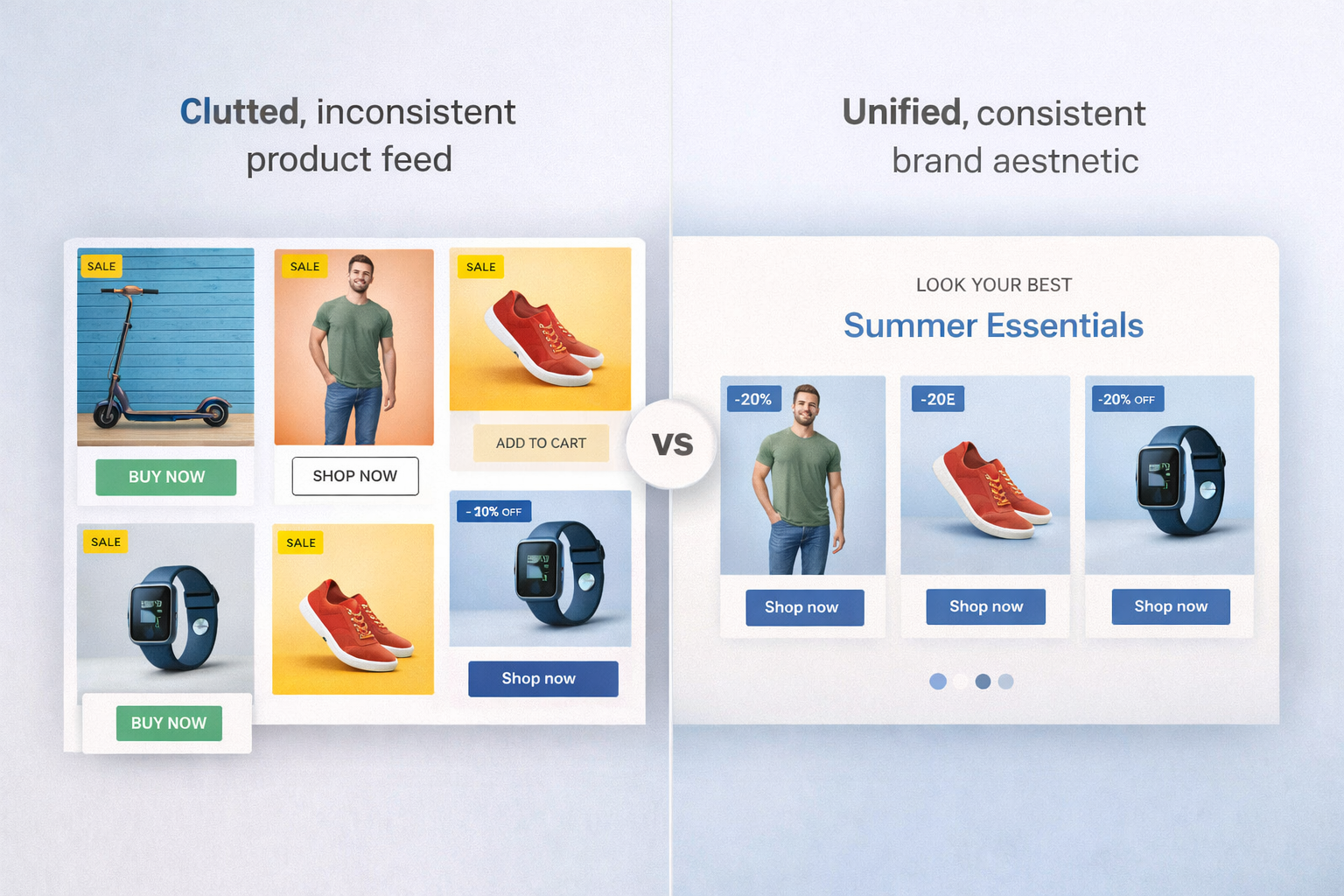
cluttered, inconsistent product feed vs. unified, aesthetically consistent brand aesthetic
Why On-Brand Visuals Matter in eCommerce
“On-brand visuals” aren’t just about looking pretty; they are about consistency. When your product images share the same lighting, color palette, and composition across Instagram, Amazon, and your Shopify store, you build brand equity .
-
Trust and Professionalism: Inconsistent visuals signal a lack of attention to detail, which can deter first-time buyers.
-
Higher Conversions: Unified visuals reduce cognitive load for customers, making the path to purchase smoother.
-
Brand Recall: A distinct visual style ensures that even if a customer sees your ad for a split second, they recognize it’s you .
Commonly, eCommerce teams struggle with “asset fragmentation”—using stock photos that don’t match product shots or having different photographers produce conflicting styles.
What Is an AI Design Tool for Marketing Content?
An AI design tool for marketing content is not just a generic image generator. Unlike basic AI art tools, these platforms are engineered specifically for the needs of brands and marketers.
Traditional workflows require manual masking, retouching, and background removal. In contrast, an AI-powered tool automates these tasks while adhering to your specific brand guidelines. It allows you to generate thousands of variations of a single product shot—changing backgrounds, lighting, and props—all while keeping the core product 100% accurate.
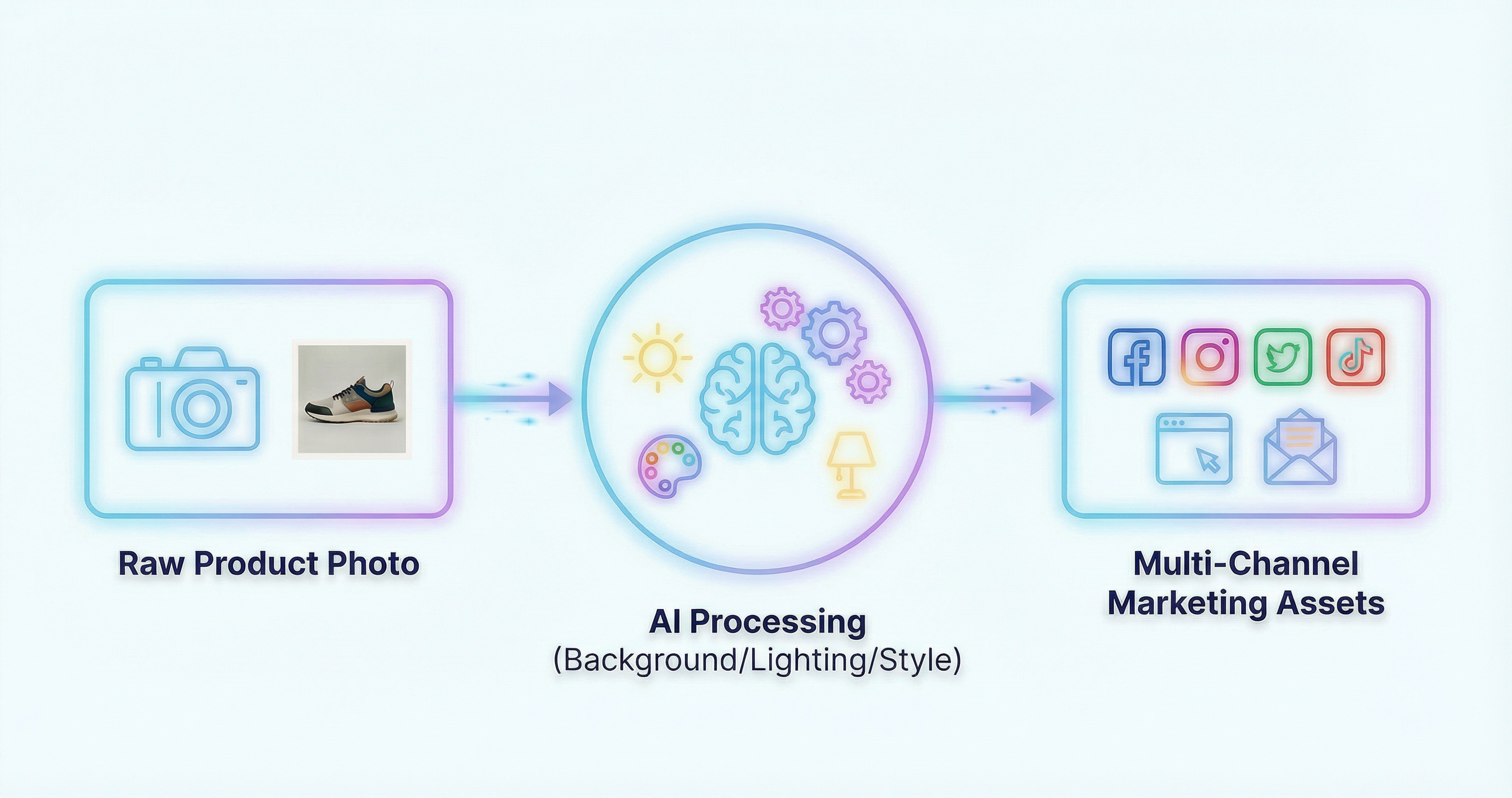
Workflow for AI design agent
How to Create On-Brand Visuals with Aidge (Step-by-Step)
Achieving a professional look doesn’t require a studio. Here is how you can use Aidge to streamline your creative production:
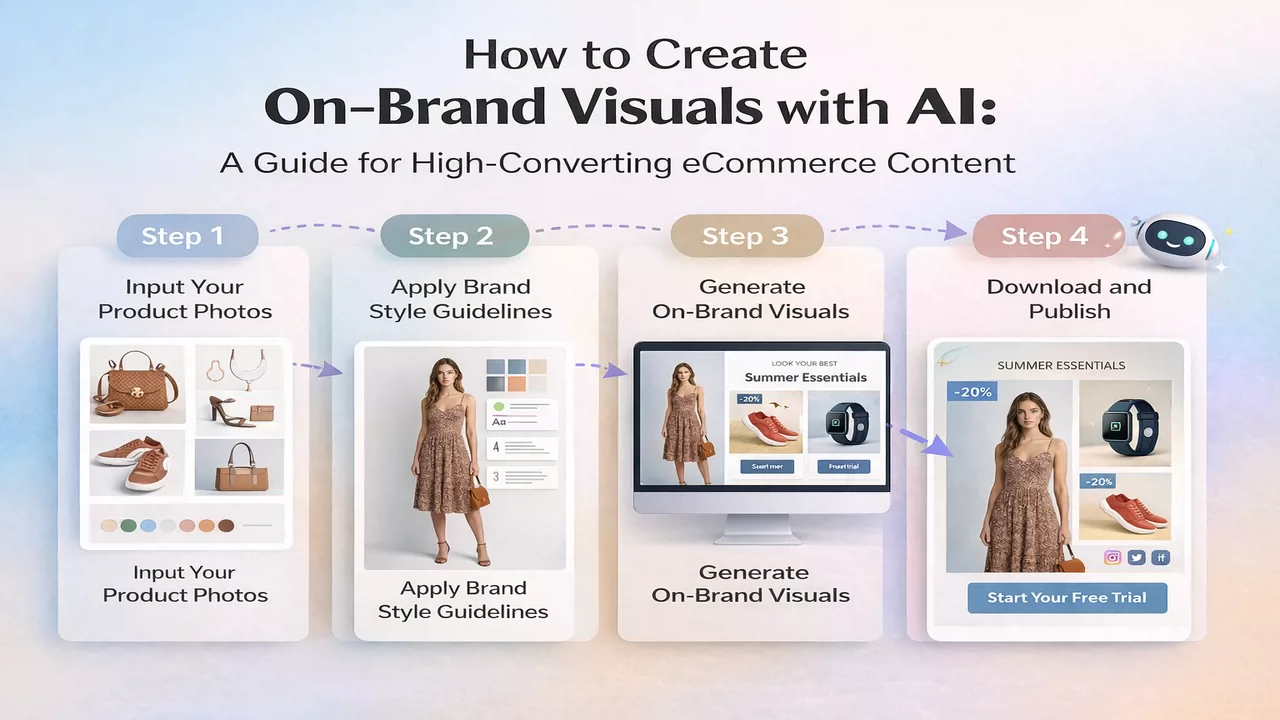
Step 1: Upload Product Images or Raw Assets
Start with a clean photo of your product. You don’t need a professional camera; a high-resolution smartphone photo with decent lighting is often enough for the AI to identify the subject accurately.
Step 2: Apply Brand Style Guidelines
This is where the “on-brand” magic happens. Define your brand’s “DNA”—do you prefer minimalist Nordic vibes, vibrant tropical colors, or dark, moody shadows? You can input specific hex codes or upload a reference style image to guide the AI.
Step 3: Generate Marketing Visuals for Different Use Cases
With your style locked in, you can generate variations. Need a “summer sale” background for an ad? Or a “cozy home” setting for a lifestyle shot? The AI generates these in seconds, maintaining consistent lighting across every version.
Step 4: Optimize and Export for eCommerce Channels
Finally, export your assets in the correct dimensions. From 1:1 squares for Instagram to 16:9 banners for your homepage, an AI design tool for marketing content ensures every file is optimized for fast loading and high resolution.
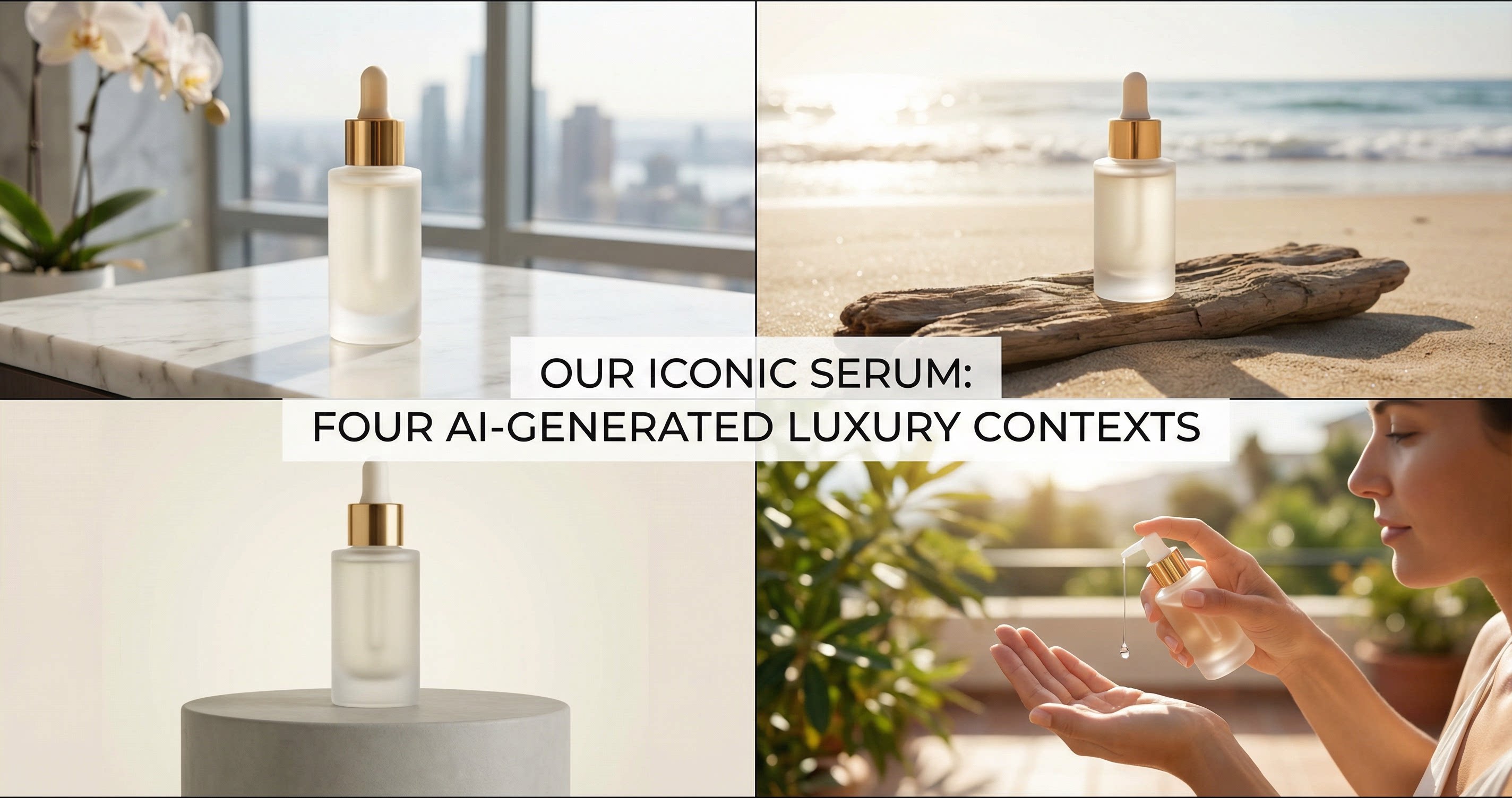
Create various e-commerce assets with AI design agent.
Use Cases: AI-Generated Visual Content for eCommerce
How are leading DTC brands actually using this technology?
-
Product Detail Pages (PDP): Create clean, high-end “hero” shots that highlight product features without the cost of a physical set.
-
Marketing Banners: Quickly swap backgrounds to match seasonal promotions (eg, Black Friday, Valentine’s Day) without re-shooting the product.
-
Social Media Creatives: Generate a steady stream of “lifestyle” content to keep your feed fresh and engaging.
-
Email Campaigns: Design cohesive visuals for newsletters that align perfectly with the website’s landing page.
AI Design Tools vs. Traditional Design Workflow
| Feature | Traditional Workflow | AI-Powered Workflow |
| Speed | Days or weeks for shooting & editing | Minutes from upload to export |
| Cost | High (Photographer, Studio, Retoucher) | Low (SaaS Subscription) |
| Scalability | Linear (More photos = more cost) | Exponential (Unlimited variations) |
| Brand Control | Manual oversight required | Style presets ensure 100% consistency |
Note: AI is not meant to replace your creative team. Instead, it augments their capabilities , freeing them from repetitive tasks like background removal so they can focus on high-level strategy and creative direction.
Who Can Benefit Most from AI Design Tools?
-
Small eCommerce Teams: Gain the visual output of a 10-person agency with a fraction of the budget.
-
Marketing Managers: Rapidly A/B test different visual styles to see which drives the highest CTR.
-
Growing DTC Brands: Maintain a premium look as you scale your SKU count and enter new marketplaces.
-
SaaS Platforms: Offer merchants built-in design capabilities to improve their success rates.
Try It Yourself: Free Trial for On-Brand AI Design
The best way to see the impact of AI on your brand is to test it with your own products. You don’t need to be a designer to create world-class content.
Ready to scale your content production without sacrificing your brand identity? We offer a free trial for on-brand AI design , allowing you to upload your first batch of products and generate high-conversion visuals instantly. No complex setup—just professional results.
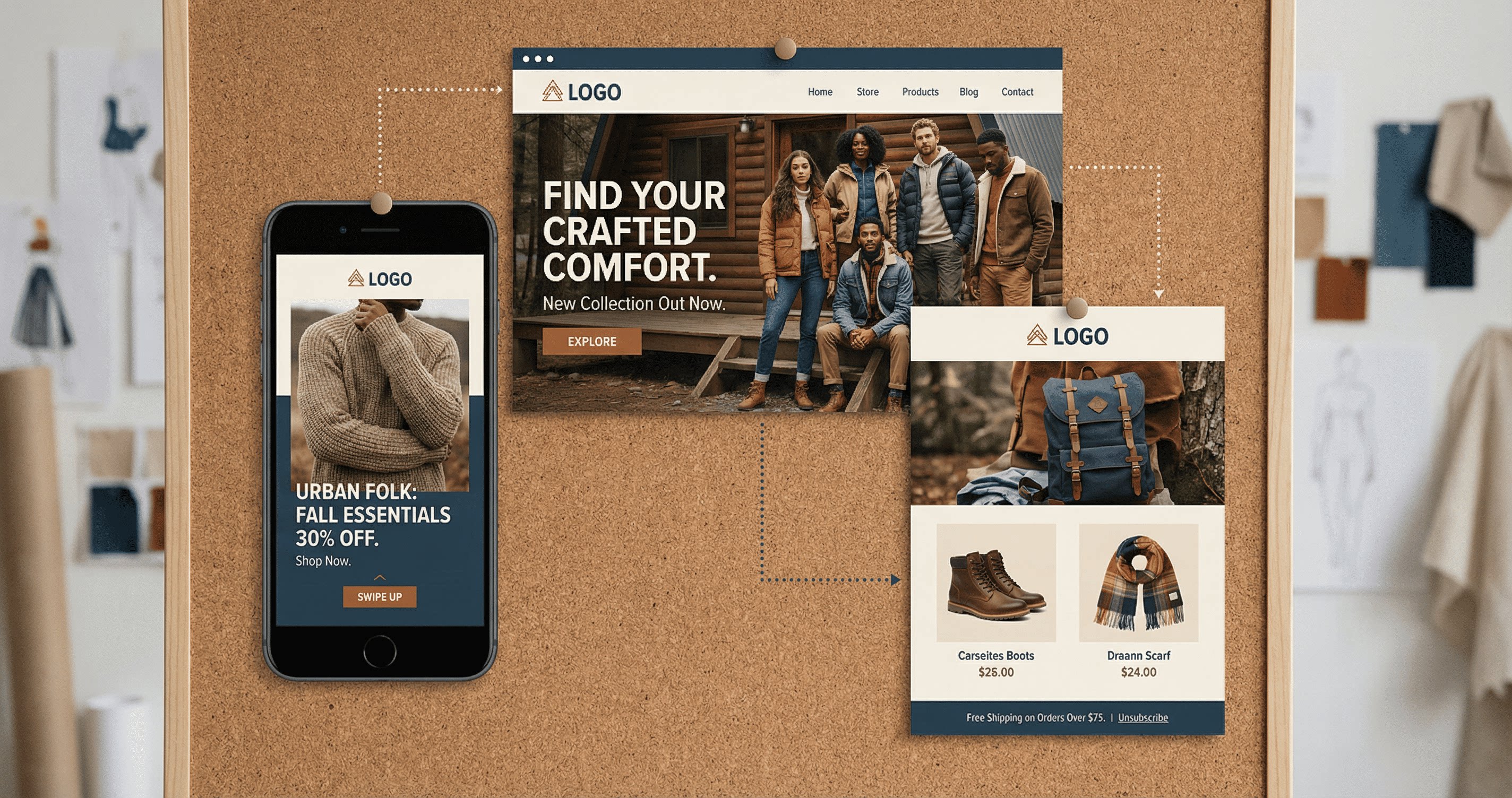
A collage of eCommerce assets including a mobile ad, a website hero banner, and a promotional email
Conclusion
The future of eCommerce is visual, and the speed of that future is powered by AI. By mastering how to create on-brand visuals with AI , you ensure that your brand remains consistent, professional, and ready to convert on every platform.
Don’t let manual design processes slow your growth. Embrace the efficiency of an AI design tool for marketing content today and give your team the power to create at the speed of thought.